セレクト
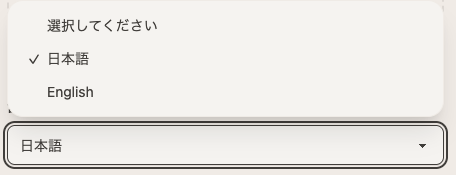
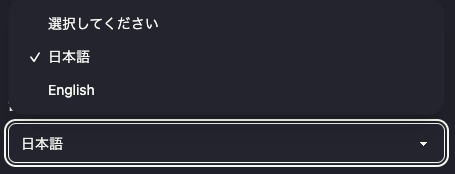
選択肢から値を選ぶフィールドです。multiple: trueで複数選択も可能です。
基本例
{
	"name": "category",
	"type": "select",
	"label": "カテゴリ",
	"options": [
		{ "value": "tech", "label": "テクノロジー" },
		{ "value": "life", "label": "ライフスタイル" }
	]
}
プロパティ
| プロパティ | 型 | 必須 | 説明 |
|---|---|---|---|
name | string | Yes | フィールドの識別子 |
type | "select" | Yes | "select"を指定 |
label | string | No | CMS上での表示名 |
note | string | No | 編集者向けの補足メモ |
required | boolean | No | 必須フィールドかどうか |
options | array | Yes | 選択肢の配列 |
default | string | No | デフォルト値 |
multiple | boolean | No | 複数選択を許可するか |
optionsの構造
| プロパティ | 型 | 必須 | 説明 |
|---|---|---|---|
value | string | Yes | 選択肢の値(保存される値) |
label | string | No | 選択肢の表示名(省略時はvalueが表示) |
使用例
カテゴリ選択
{
	"name": "category",
	"type": "select",
	"label": "カテゴリ",
	"required": true,
	"options": [
		{ "value": "tech", "label": "テクノロジー" },
		{ "value": "life", "label": "ライフスタイル" },
		{ "value": "business", "label": "ビジネス" },
		{ "value": "other", "label": "その他" }
	]
}
デフォルト値
{
	"name": "status",
	"type": "select",
	"label": "ステータス",
	"default": "draft",
	"options": [
		{ "value": "draft", "label": "下書き" },
		{ "value": "review", "label": "レビュー中" },
		{ "value": "published", "label": "公開" }
	]
}
labelを省略
valueをそのまま表示する場合、labelは省略できます。
{
	"name": "color",
	"type": "select",
	"label": "色",
	"options": [{ "value": "red" }, { "value": "blue" }, { "value": "green" }]
}
複数選択(マルチセレクト)
{
	"name": "tags",
	"type": "select",
	"label": "タグ",
	"multiple": true,
	"options": [
		{ "value": "javascript", "label": "JavaScript" },
		{ "value": "typescript", "label": "TypeScript" },
		{ "value": "react", "label": "React" },
		{ "value": "vue", "label": "Vue" },
		{ "value": "svelte", "label": "Svelte" }
	]
}
優先度選択
{
	"name": "priority",
	"type": "select",
	"label": "優先度",
	"default": "medium",
	"options": [
		{ "value": "high", "label": "高" },
		{ "value": "medium", "label": "中" },
		{ "value": "low", "label": "低" }
	]
}
単一選択と複数選択の違い
単一選択(デフォルト)
{
  "name": "category",
  "type": "select",
  "label": "カテゴリ",
  "options": [...]
}- UIはドロップダウン
- 値は文字列として保存(例:
"tech")
複数選択(multiple: true)
{
  "name": "tags",
  "type": "select",
  "label": "タグ",
  "multiple": true,
  "options": [...]
}- UIはマルチセレクト(複数選択可能なドロップダウン)
- 値は配列として保存(例:
["javascript", "typescript"])
checkboxとの違い
| フィールド | UI | 適している場面 |
|---|---|---|
select (multiple) | ドロップダウン | 選択肢が多い場合 |
checkbox | チェックボックス | 選択肢が少ない場合(5個以下) |
どちらも複数選択が可能ですが、選択肢の数に応じて使い分けてください。
保存形式
単一選択:
---
category: 'tech'
---
複数選択:
---
tags:
  - 'javascript'
  - 'typescript'
---
JSON形式(複数選択):
{
	"tags": ["javascript", "typescript"]
}