テキスト
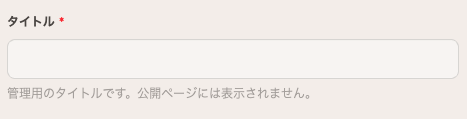
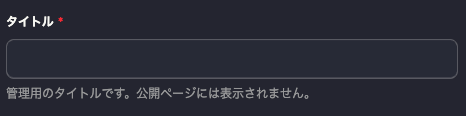
短い1行のテキスト入力用フィールドです。タイトル、スラッグ、著者名など、短い文字列に適しています。
基本例
{
	"name": "title",
	"type": "text",
	"label": "タイトル",
	"required": true
}
プロパティ
| プロパティ | 型 | 必須 | 説明 |
|---|---|---|---|
name | string | Yes | フィールドの識別子 |
type | "text" | Yes | "text"を指定 |
label | string | No | CMS上での表示名 |
note | string | No | 編集者向けの補足メモ |
required | boolean | No | 必須フィールドかどうか |
default | string | No | デフォルト値 |
minLength | number | No | 最小文字数 |
maxLength | number | No | 最大文字数 |
pattern | string | No | 正規表現パターン(バリデーション用) |
使用例
タイトル
{
	"name": "title",
	"type": "text",
	"label": "タイトル",
	"required": true,
	"maxLength": 100
}
スラッグ(URL用)
{
	"name": "slug",
	"type": "text",
	"label": "スラッグ",
	"required": true,
	"pattern": "^[a-z0-9-]+$",
	"note": "半角英数字とハイフンのみ使用できます"
}
メールアドレス
{
	"name": "email",
	"type": "text",
	"label": "メールアドレス",
	"pattern": "^[a-zA-Z0-9._%+-]+@[a-zA-Z0-9.-]+\\.[a-zA-Z]{2,}$"
}
デフォルト値
{
	"name": "status",
	"type": "text",
	"label": "ステータス",
	"default": "draft"
}
バリデーション
minLength / maxLength
文字数の制限を設定します。
{
	"name": "summary",
	"type": "text",
	"label": "要約",
	"minLength": 10,
	"maxLength": 200,
	"note": "10〜200文字で入力してください"
}
pattern
正規表現でフォーマットを制限します。
{
	"name": "phone",
	"type": "text",
	"label": "電話番号",
	"pattern": "^[0-9]{2,4}-[0-9]{2,4}-[0-9]{4}$",
	"note": "例: 03-1234-5678"
}
テキストエリアとの違い
| フィールド | 用途 | UI |
|---|---|---|
text | 短いテキスト | 1行の入力欄 |
textarea | 長いテキスト | 複数行のテキストエリア |
タイトルや名前など短い文字列にはtext、説明文や本文にはtextareaまたはrichtextを使用してください。